+++남연주+++
+my links!+
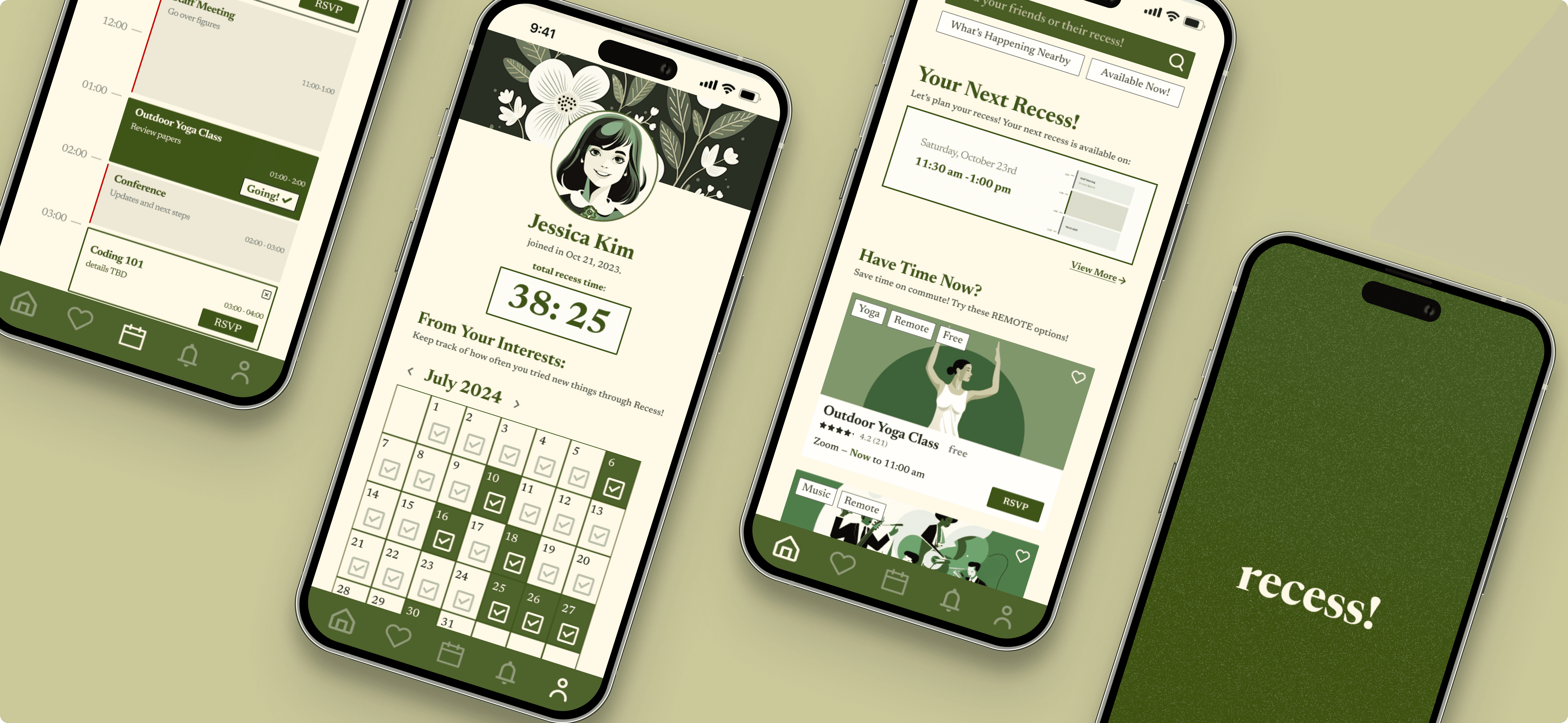
recess
Designed recess to address a critical problem among college students: ineffective time management and the tendency to waste free time on unproductive activities like social media scrolling.
Crafted in Seattle, WA · Logged 06.23.25
Prototype In Development
Team+Roles
Role: Lead Product Designer, UX Research
2 Designers + 2 Researchers
Impact
2nd Place among Beginner Teams
Cut down average of 7.2 secs to complete goal transaction
Timeline
Aug 2025 (2 days)
Overview
At Rice University’s 2023 UI/UX Design-A-Thon, our team was challenged to design a mobile product in under 48 hours that addressed a student pain point. We placed 2nd among beginner teams, and I continued refining the concept independently post-competition.
Problem statement:
Despite awareness of time management tools, students default to unproductive scrolling. How might we help them redirect downtime into intentional, fulfilling activities?
Mixed-Method Research
Key Insight
Students know their free time matters but lack frictionless, motivating ways to act on that awareness.
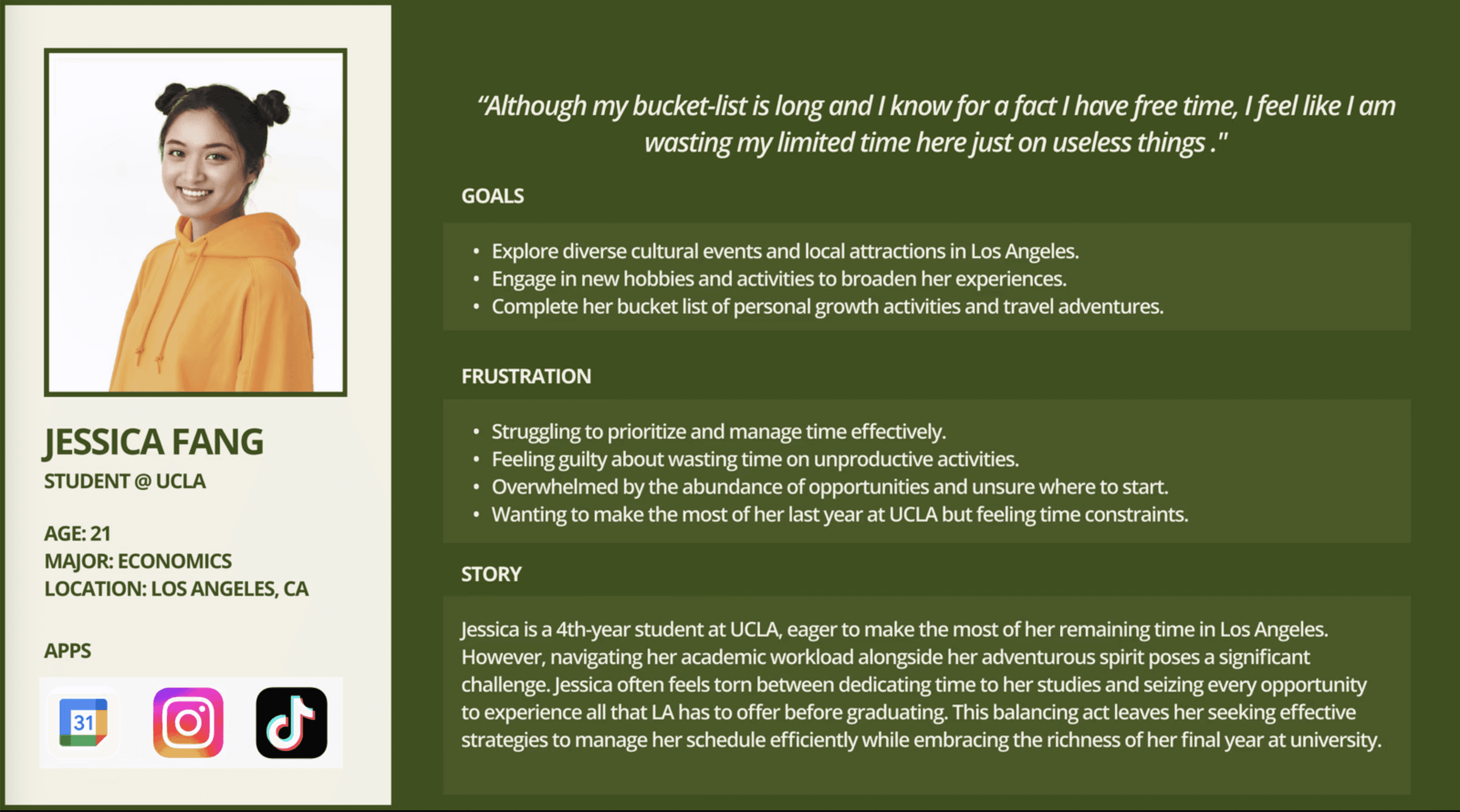
User Persona
Competitor Analysis
Tools like Meetup, Partiful, and Eventbrite focus on utility but add friction, while social apps like Instagram and TikTok drive engagement without meaningful action.
Recess can stand out by combining frictionless one-tap planning, personalized discovery, and delightful micro-interactions—turning idle scrolling into purposeful, stress-free engagement.

Meetup
Discovery:
Medium, Interest-based communities, strong personalization
Commitment:
High, Tailored recommendations
Personalization: |
|---|
High, Tailored recommendations

Partiful
Discovery:
Medium, Public events are discoverable via "Discover" in select cities
Commitment:
High, RSVP tracking, reminders, and interactive features keep guests engaged
Personalization: |
|---|
High, Customizable invites, guest interactions, and payment options enhance personalization

Eventbrite
Discovery:
Medium, Overwhelming, non-student-centric
Commitment:
Medium, Recommendations
Personalization: |
|---|
Medium, Recommendations
Painpoints
Interaction Feedback (RSVP Button)
Testing revealed uncertainty with RSVP actions. Clear feedback loops reduce decision fatigue, increase satisfaction, and strengthen user commitment.
Discovery Friction
Current event platforms often require multiple steps to explore events, discouraging engagement. Students need one-tap access to relevant, interesting events.
Lack of Personalized Engagement
Many tools deliver generic event suggestions. Students want recommendations tailored to their preferences and time availability.
Design Strategies
Guiding Principles
Reduce cognitive load — planning must be easier than opening Instagram.
Personalize discovery — prioritize forward-looking events to align with student needs.
Signal completion — make micro-interactions (like RSVPs) rewarding and unambiguous.
Design for delight — aesthetics should lower stress, not add pressure.
Design Decisions
1. Interaction Feedback (RSVP Button)
Tested 4 variations of RSVP interactions. Final choice:
Dark green button → cream with checkmark after action.
Clear feedback loop = satisfaction, certainty, and lower decision fatigue.
3. Layout & Hierarchy (Gutenberg Principle)
Moved RSVP to bottom-right to follow natural Z-pattern scanning.
Streamlined user eye flow → faster task completion.
2. Visual Identity (Brand Pivot)
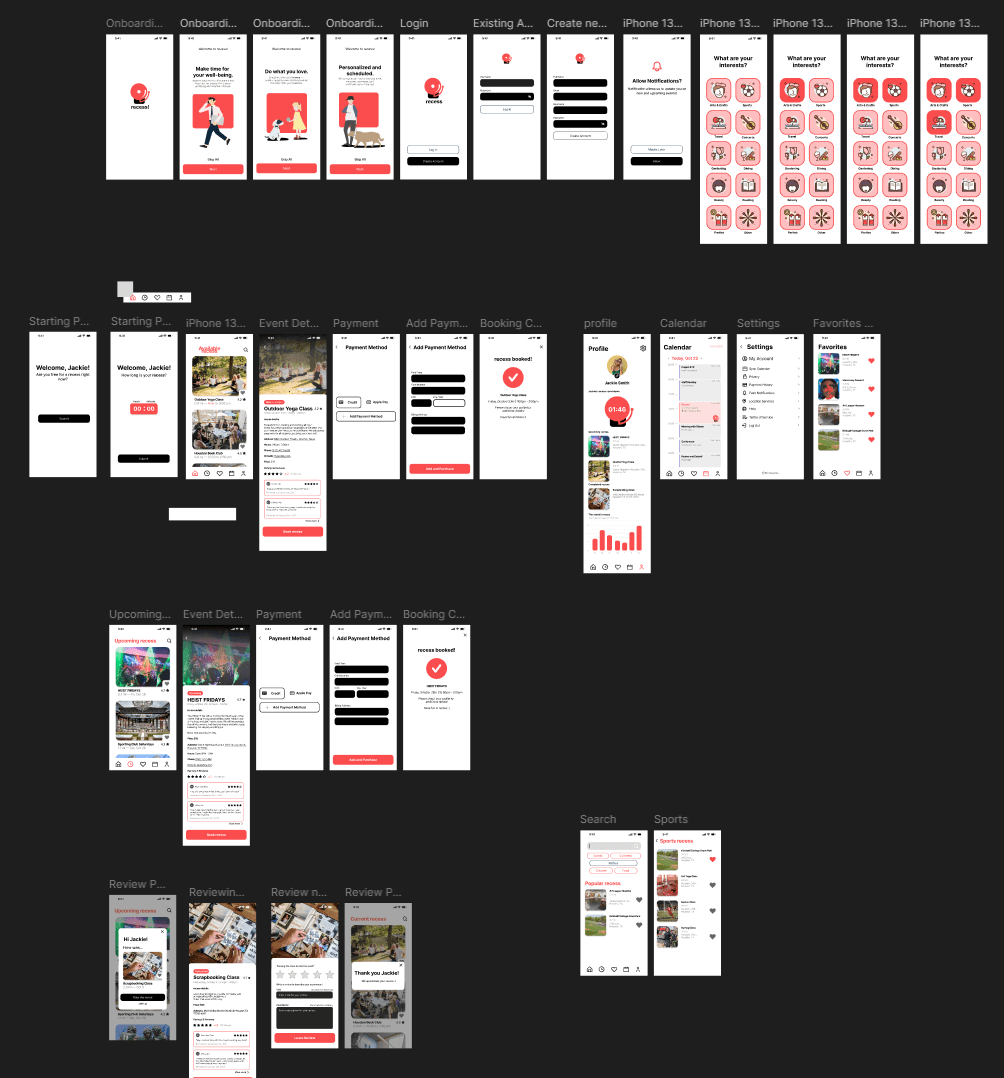
Initial: Red/black/white with heavy rounding → perceived as commercial and distracting.
Refined: Vintage-inspired, soft palette. Usability tests showed this reduced time-to-action from 7s → 4.2s and created a calmer experience.
4. Discovery Flow
Shifted from “events happening now” → “future event planning.”
Based on survey: 28/31 students preferred discovering future opportunities.
Prototyping & Testing
Low–Mid Fidelity
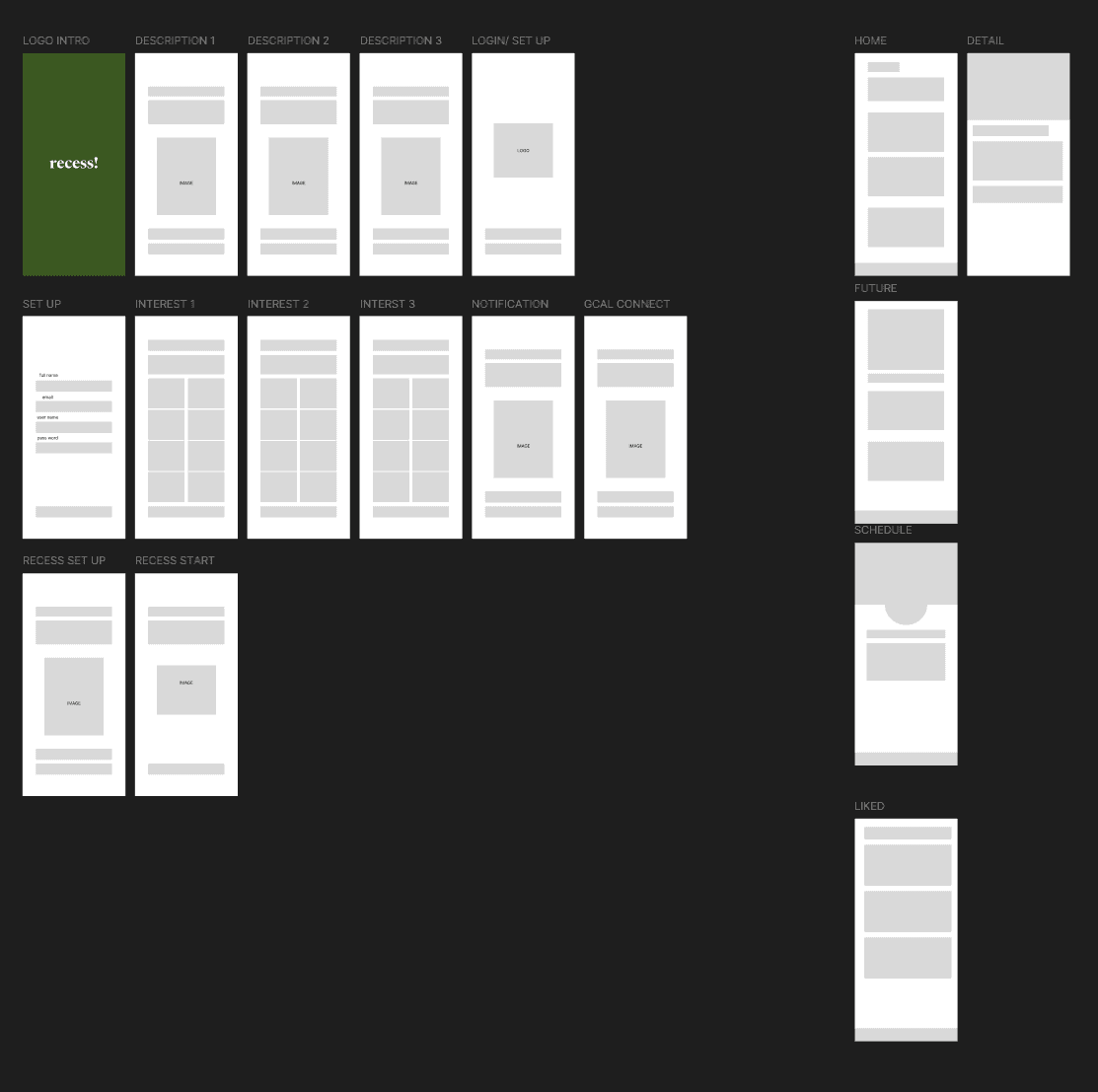
Built onboarding, event discovery, RSVP, and trends dashboard flows.
Prioritized early clarity of purpose (“Recess helps you spend free time meaningfully”).
Usability Testing (n=6)
Overall: Intuitive and engaging.
Area for growth: overwhelming content organization, unclear copy, inconsistent metrics.
Iterations
Simplified event categorization.
More human-centric copy defaults (e.g., “Study Break” vs. blank entry).
Clarified trends dashboard interactions (tap affordances, time range controls).
Design System
Title
Created a modular, scalable system for future extension:
Component library: buttons, cards, typography, grids.
Accessibility: contrast-checked palettes, color states, and consistent spacing for glanceable hierarchy.
Brand attributes: vintage-inspired warmth, approachable tone, subtle animations to encourage completion.
Final Prototype Flows
1. Onboarding
Shifted from “events happening now” → “future event planning.”
Based on survey: 28/31 students preferred discovering future opportunities.
Discovery Feed
Shifted from “events happening now” → “future event planning.”
Based on survey: 28/31 students preferred discovering future opportunities.
Liked
Shifted from “events happening now” → “future event planning.”
Based on survey: 28/31 students preferred discovering future opportunities.
Calendar
Shifted from “events happening now” → “future event planning.”
Based on survey: 28/31 students preferred discovering future opportunities.
Notification
Shifted from “events happening now” → “future event planning.”
Based on survey: 28/31 students preferred discovering future opportunities.
Profile
Shifted from “events happening now” → “future event planning.”
Based on survey: 28/31 students preferred discovering future opportunities.
Reflection
Impact
Built onboarding, event discovery, RSVP, and trends dashboard flows.
Prioritized early clarity of purpose (“Recess helps you spend free time meaningfully”).
What I Learned
Constraints sharpen creativity: In 48 hours, focus meant more than scope.
Design = research + iteration: User feedback radically reshaped branding and hierarchy.
Behavior > interface: The real success wasn’t an elegant UI, it was creating conditions for better student behavior.
Next Steps
Design the organizer side of Recess (event creation, RSVP management), explore lightweight gamification for streaks of intentional activity, and build a working MVP for live testing.
Takeaways
Recess isn’t just about planning events. It’s about reframing how students see their downtime — turning passive scrolling into active, meaningful choice. By grounding design in research, behavior science, and micro-interaction craft, we built a product that aligns with both student realities and aspirational habits.
+Let’s Connect+
Resume
© YNam_2025